Documentation Index

Fetch the complete documentation index at: https://developers.autoplay.ai/llms.txt

Use this file to discover all available pages before exploring further.

This tutorial shows you how to connect your existing tools β€” a session replay provider, a Dify chatbot, and visual guidance tours β€” into a single personalised customer support experience. Autoplay SDK is the connective tissue that captures what each user is doing in real time and routes that context to the right tool at exactly the right moment.

What you’ll orchestrate

Autoplay SDK as the connective tissue between session replay, Dify chatbot, and visual guidance tours
You already have the pieces:
  • Session replay provider β€” captures what the user is doing in real time (PostHog or equivalent)
  • Visual guidance tours β€” step-by-step flows triggered at the right moment (UserTour or equivalent)
  • Dify chatbot β€” the conversational interface that answers questions
Autoplay SDK brings them together. It routes live session context into your chatbot so every answer is specific to where that user is β€” and fires visual tours automatically when they need a guided walkthrough, personalised to their journey.

✨ Final result

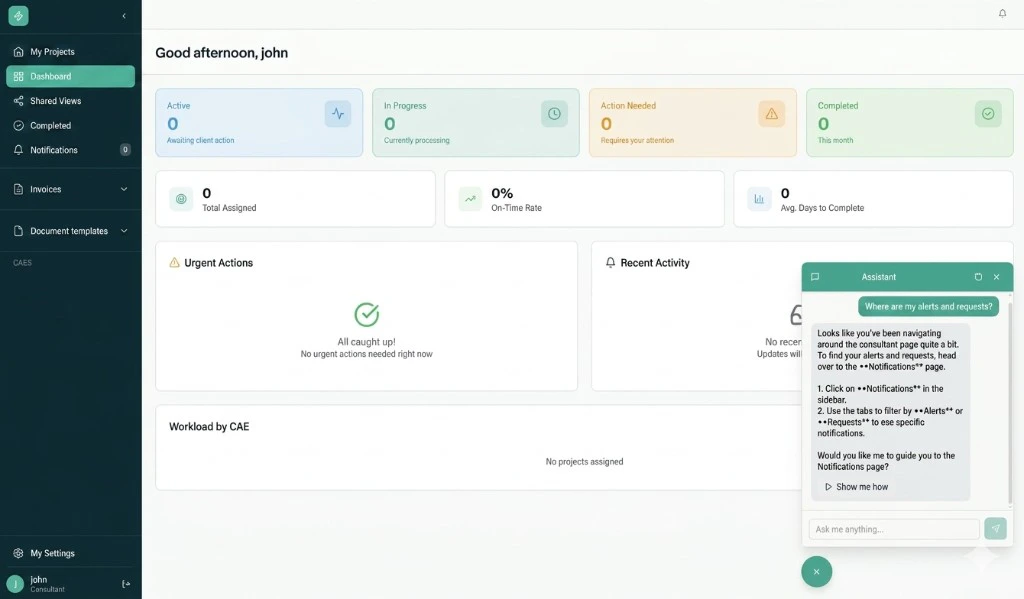
The Dify chatbot replies with context from the user's live session, surfacing a Show me how button
The chatbot replies with context pulled from the user’s live session β€” surfacing the right guidance without being asked.

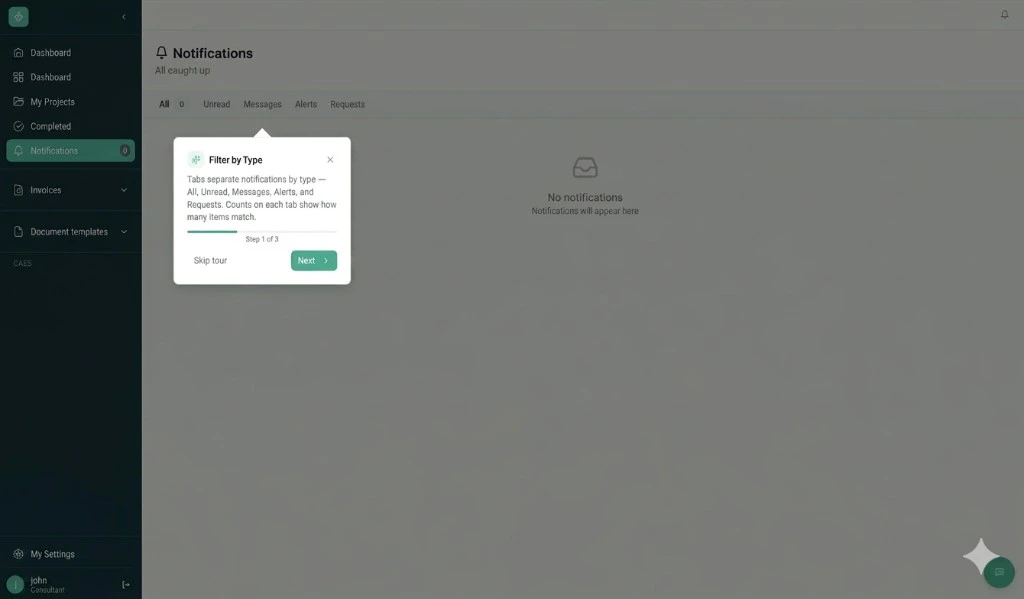
A visual guidance tour fires automatically, walking the user through the steps they need
The visual guidance tour fires automatically, walking the user through the exact steps they need.

πŸ“‹ Prerequisites

Complete the Quickstart. You should have:
  • PostHog in the browser β€” snippet, API key, product_id on identify
  • Connector credentials β€” stream URL and API token from your Autoplay dashboard
  • autoplay-sdk installed β€” and a successful test stream from the Quickstart
  • A Dify account β€” cloud at cloud.dify.ai or self-hosted, with an existing chatbot application
  • A public HTTPS URL β€” where you can host the event-stream server

The building blocks

Follow the steps in order β€” each page stands alone so you can ship incrementally.
  1. Connect real-time events β€” Set up the event-stream server, wire the Dify External Knowledge API, and tune background summarization.
  2. Define proactive triggers β€” Proactively message users in Dify based on what they’re doing in your product. (Coming soon)