Documentation Index

Fetch the complete documentation index at: https://developers.autoplay.ai/llms.txt

Use this file to discover all available pages before exploring further.

Consume Autoplay’s stream on your server, correlate Intercom webhooks on your HTTPS origin, and post internal notes via Intercom REST.

✨ Final result

User: How do I create a project?

Bot: To create a project, go to My Projects in the sidebar and click Add Project.

(Could be on any page. No idea where they are.)
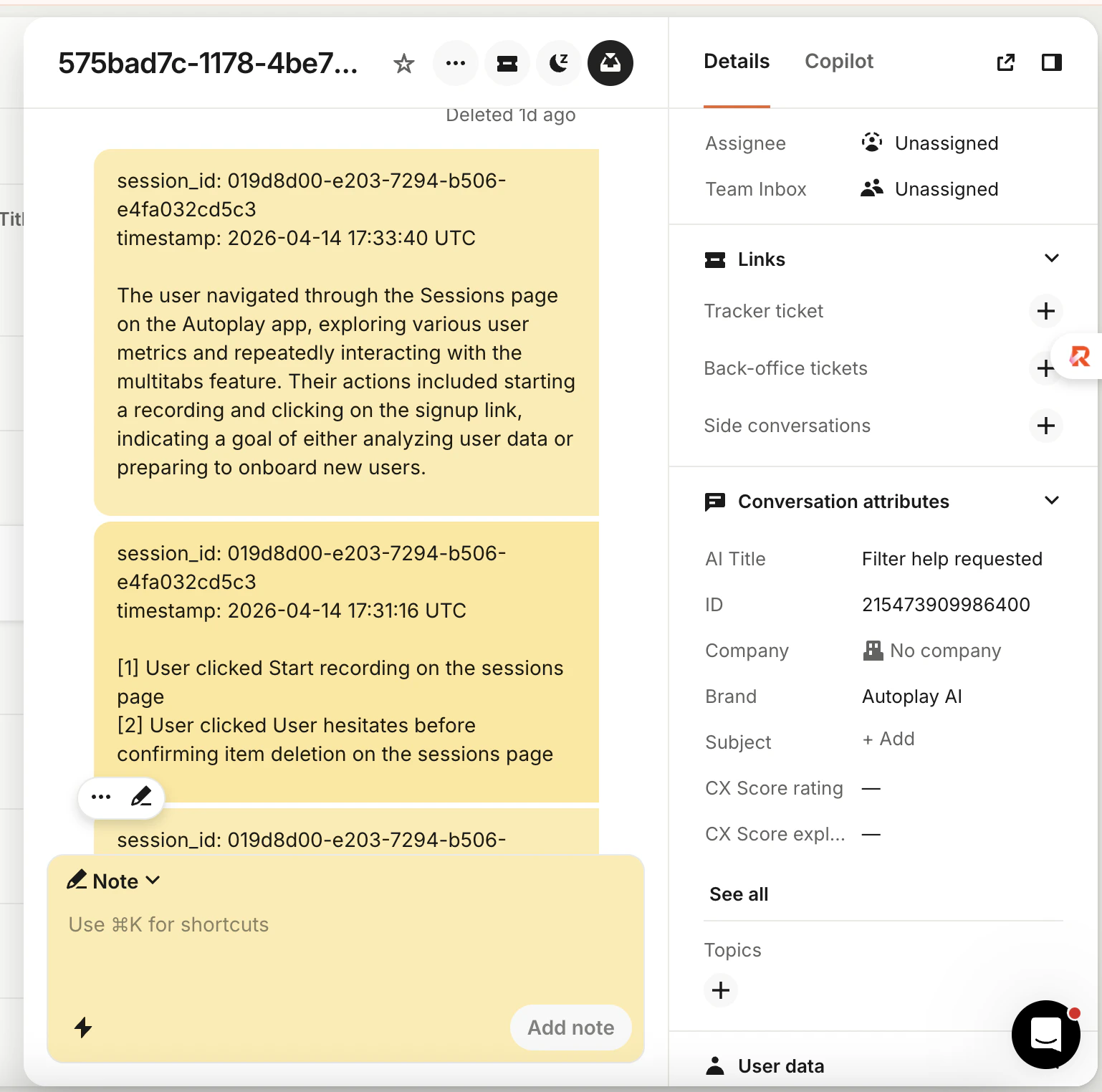
Intercom conversation showing internal Autoplay action and summary notes
Notes are internal only (team-visible, not shown to the contact). See also: Agent context.

πŸ“‹ Prerequisites

Complete the Quickstart. You should have:
  • PostHog in the browser β€” snippet, API key, product_id on identify (and email after login if you use it)
  • Connector credentials β€” URL, API token, stream URL (e.g. https://your-connector.onrender.com/stream/ plus your product id from the dashboard)
  • autoplay-sdk installed β€” and a successful test stream from the Quickstart
  • A public HTTPS URL you control β€” for Intercom to POST webhook payloads to

The building blocks

Follow the steps in order β€” each page stands alone so you can ship incrementally.
  1. Connect real-time events β€” Register Intercom webhooks, consume the Autoplay stream, and post internal notes into conversations.
  2. Define proactive triggers β€” Proactively message users in Intercom based on what they’re doing in your product.